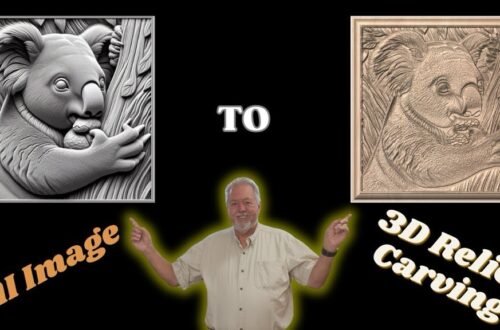
AI to Art: Creating CNC Carvings with Vista Sculpt & Vectric
In this video, I take 3D models created with Vista Sculpt software and bring them into Vectric vCarve Pro to prepare for CNC carving. You’ll see the full workflow—from importing STL files created in Vista Sculpt, arranging the carving, setting up toolpaths, and finally carving a Rhino Head into a live edge walnut block.
This tutorial is a continuation of my previous video where I demonstrated how to create 3D models in Vista Sculpt from photographs, AI-generated images, and Vista Sculpt’s own tools. In this next step, we take those models and turn them into real wooden art.
If you haven’t watched that video it would be a good idea for you to watch that video to see how to create the 3D models we will be working with in this video.
That video is at the following link: • Vista Sculpt Tutorial: Create 3D Models fr…
Whether you’re new to CNC or looking to take your Vista Sculpt projects further, this walkthrough will help you bridge the gap from digital design to physical carving.
🔗 Special Discount If interested in VistaSculpt you can use the following coupon code: ROBSANDSTROM20 on their website to receive a 20% discount off the current pricing.
👉 https://vistasculpt.com/shop/
NOTE: This would be on top of any discount codes VistaSculpt is currently providing. VistaSculpt is a European company and their prices are quoted in Euros so there is a need to do a conversion factor if ordering from outside Europe. @Vistasculpt
💡 Whether you’re a maker, woodworker, or digital artist, this video shows exactly how to take an image and turn it into a 3D (or 2D) asset you can actually use.