Rob Sandstrom Designs

  • Home
  • Portfolio
  • Shop
  • Custom Order Form
  • Professional Coaching
  • Cart
  • You Tube Videos
  • Blog Articles
  • Epoxy Video Resources
  • Resources
  • Contact Us
  • About
  • My account
  • Home
  • Portfolio
  • Shop
  • Custom Order Form
  • Professional Coaching
  • Cart
  • You Tube Videos
  • Blog Articles
  • Epoxy Video Resources
  • Resources
  • Contact Us
  • About
  • My account
  • You Tube Videos

    Thursday Live With Rob 8-8-2024

    8 August 2024 /

    In this live session i went over recent potential health issues to set the record straight and relievve any worry people may have had based on previous discussions in forums and other groups. I go over how I have gone into a proverbial “rabbit hole” with 3D printing, especially how to make them myself and the possibilities. We did not cover how to create 3D prints but we did reference software that can be used and provided a couple reference videos where people can explore the topic for themselves if interested. After sharing the topic and what was possible I shared several awesome examples of 3D multicolor prints. Below are…

    Read More
    robsandstromdesigns.com

    You May Also Like

    Thursday Live – Question and Answer June 6, 2024

    6 June 2024

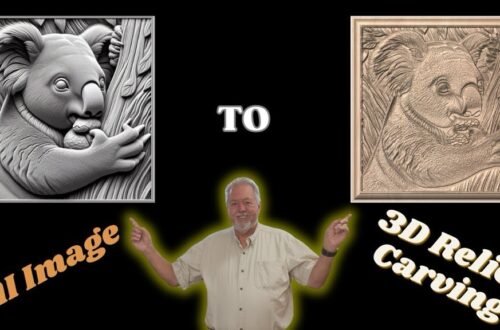
    Transform Images into 3D Relief Models with Vectric Aspire: A Step-by-Step Guide Using AI-Images

    10 May 2024
  • You Tube Videos

    Followup on Overlap, Epoxy Inlay, and Other Open Questions

    25 July 2024 /

    My current plan is to open up for questions from people that watched my Wavy Flag Epoxy Inlay videos. Especially in the area of overlap because that is the area that seem to confuse people the most. We will open up for any other epoxy inlay questions that people may have based on the video or other epoxy inlay questions. Shane Peters has agreed to co-host this session so he will be able to answer other questions which may not have been asked before or at least reiterate previous insights he has put out. One topic area I asked Shane to discuss is his process for coming up with colors…

    Read More
    robsandstromdesigns.com

    You May Also Like

    Thursday Live – Question and Answer June 6, 2024

    6 June 2024

    Transform Images into 3D Relief Models with Vectric Aspire: A Step-by-Step Guide Using AI-Images

    10 May 2024
  • You Tube Videos

    Wavy American Flag Epoxy Inlay Review and QA

    11 July 2024 /

    Will cover the process for creating, cutting, and pouring an American Wavy Flag inlay including QAs. Shane Peters of @ShanesHardwoodLLC will be cohosting this session.

    Read More
    robsandstromdesigns.com

    You May Also Like

    Thursday Live – Question and Answer June 6, 2024

    6 June 2024

    Transform Images into 3D Relief Models with Vectric Aspire: A Step-by-Step Guide Using AI-Images

    10 May 2024
  • You Tube Videos

    Walking Through Multi-Color Epoxy Inlay of Wavy American Flag – Review and QA

    11 July 2024 /

    Will cover the process for creating, cutting, and pouring an American Wavy Flag inlay including QAs. Shane Peters of @ShanesHardwoodLLC will be cohosting this session.

    Read More
    robsandstromdesigns.com

    You May Also Like

    Transform Images into 3D Relief Models with Vectric Aspire: A Step-by-Step Guide Using AI-Images

    10 May 2024

    Thursday Live – Question and Answer June 6, 2024

    6 June 2024
  • You Tube Videos

    Live 06-20-2024 Video QA and Guest Chris PelletierLive 015 Finding and Using AI Generated Art to Create 3D Models using Aspire software – Step by StepLive 06-20-2024 Video QA and Guest Chris Pelletier

    20 June 2024 /

    n this video Mr. Chris Pelletier shares his knowledge and experience of searching Artificial Intelligence (AI) and converting the art he finds into 3D models using Aspire Software. This is a detailed step by step process where Chris demonstrates each step of the way. This is the most comprehensive tutorial I have seen to date on how to use Microsoft Copilot for obtaining unique art that can be turned into 3D models that can de directly used in woodworking projects – provided a person has Aspire software. If you know of a more comprehensive tutorial on this topic, please share where the tutorial can be seen in the comments section…

    Read More
    robsandstromdesigns.com

    You May Also Like

    Transform Images into 3D Relief Models with Vectric Aspire: A Step-by-Step Guide Using AI-Images

    10 May 2024

    Thursday Live – Question and Answer June 6, 2024

    6 June 2024
  • You Tube Videos

    Arrange Your Tabs Anyway you like in vCarve and Aspire and keep them there – Step-by-Step Guide

    18 June 2024 /

    ➡️ In this video, we provide a comprehensive step-by-step guide on how to arrange the tabs for various tools in different configurations for Vectric vCarve and Aspire software. 🔨 What You’ll Learn: * How to place your toolpath tab on the left side of the screen with all of the other tabs * How to ensure that tab layout for your software is maintained after exiting the program and then reentering the program * How to place any tab in any location that you desire * How to place your tabs on the bottom of the screen vs. the left side of the screen. * How to recover if your…

    Read More
    robsandstromdesigns.com

    You May Also Like

    Thursday Live – Question and Answer June 6, 2024

    6 June 2024

    Transform Images into 3D Relief Models with Vectric Aspire: A Step-by-Step Guide Using AI-Images

    10 May 2024
  • You Tube Videos

    Easy Guide to Installing Magnets in Woodworking Projects to Secure Covers & Join Materials

    13 June 2024 /

    In this video, we’ll walk you through a foolproof method for installing magnets in your woodworking projects. Whether you’re looking to secure covers or join separate pieces of material, we’ve got you covered. 🔨 What You’ll Learn: * Step-by-step process for installing magnets in wood * Tips for ensuring correct magnet polarity * Tools and materials you’ll need for the job * Expert advice to make your project a success 🛠 Tools & Materials: * Magnets * CA glue * Tape 👷 Why Correct Polarity Matters: Ensuring the magnets’ polarity is correct is crucial for the functionality and durability of your project. We’ll show you how to ensure polarity is…

    Read More
    robsandstromdesigns.com

    You May Also Like

    Thursday Live – Question and Answer June 6, 2024

    6 June 2024

    Transform Images into 3D Relief Models with Vectric Aspire: A Step-by-Step Guide Using AI-Images

    10 May 2024
  • You Tube Videos

    Thursday Live – Question and Answer June 6, 2024

    6 June 2024 /

    Live stream will focus on answer questions on Epoxy and Cherry Bowl videos, and other tips and tricks asked by live participants. On Vectric and Lighburn software.

    Read More
    robsandstromdesigns.com

    You May Also Like

    Transform Images into 3D Relief Models with Vectric Aspire: A Step-by-Step Guide Using AI-Images

    10 May 2024
  • You Tube Videos

    DIY Broken Barn Door Repair with Dowels, Glue, and Determination – Overcoming Age Related Challenges

    4 June 2024 /

    Welcome to this tutorial where I demonstrate a step-by-step method for repairing a broken barn door that was pulled off its slider and then cracked along the bottom of the door. This step-by-step guide will show you how i walked thorugh a strategy to repair the door to the initial stength if not a stronger door. What You Will Learn: 👉 How to get blue into tight crack areas using suction from a shop vac or dust collector 👉 Clamping methods when you do’t have clamps long enough to use standard clamping techniques 👉 How to use dowels for repairs to add strength to crack and hole repairs 👉 Ways…

    Read More
    robsandstromdesigns.com

    You May Also Like

    Thursday Live – Question and Answer June 6, 2024

    6 June 2024

    Transform Images into 3D Relief Models with Vectric Aspire: A Step-by-Step Guide Using AI-Images

    10 May 2024
  • You Tube Videos

    Use vCarve to Make an Epoxy and Cherry Heart Bowl Part 2 – Setup and Carve the Heart Bowl

    31 May 2024 /

    This is the second in a series of two videos where I demonstrate how to take one of Corbin Dunn’s designs – a heart shaped epoxy and cherry wood bowl – import his files into vCarve and then establish the tool paths to carve the bowl. I also include my step-by-step process for physically holding the bowl in place while carving and a couple other unique items to make the process go as smoothly as possible. If you haven’t watched Part 1 in this series I recommend you do so before watching this video.    • Use vCarve to Make an Epoxy and Cherr…   I go through a step by step process of using Corbin Dunn’s STL files that…

    Read More
    robsandstromdesigns.com

    You May Also Like

    Thursday Live – Question and Answer June 6, 2024

    6 June 2024

    Transform Images into 3D Relief Models with Vectric Aspire: A Step-by-Step Guide Using AI-Images

    10 May 2024
45678

Recent Posts

  • Using an Easy Create Relief Model to Make an Ornament With Vectric vCarve Pro
  • I Designed a Turkey Serving Tray From Scratch in Vectric — Here’s How – Thanksgiving 2025
  • Ensuring Logo (3D Component) Carves Correctly In Dish Bottom – File Suggestions for Facebook User
  • Create and 3D Print a Stain Can Funnel in Fusion 360
  • User Group Meeting Announced Features for Vectric vCarve and Aspire and next Live Meeting Location

Recent Comments

No comments to show.
Rob Sandstrom Designs - Harnealmedia - 2025 ©